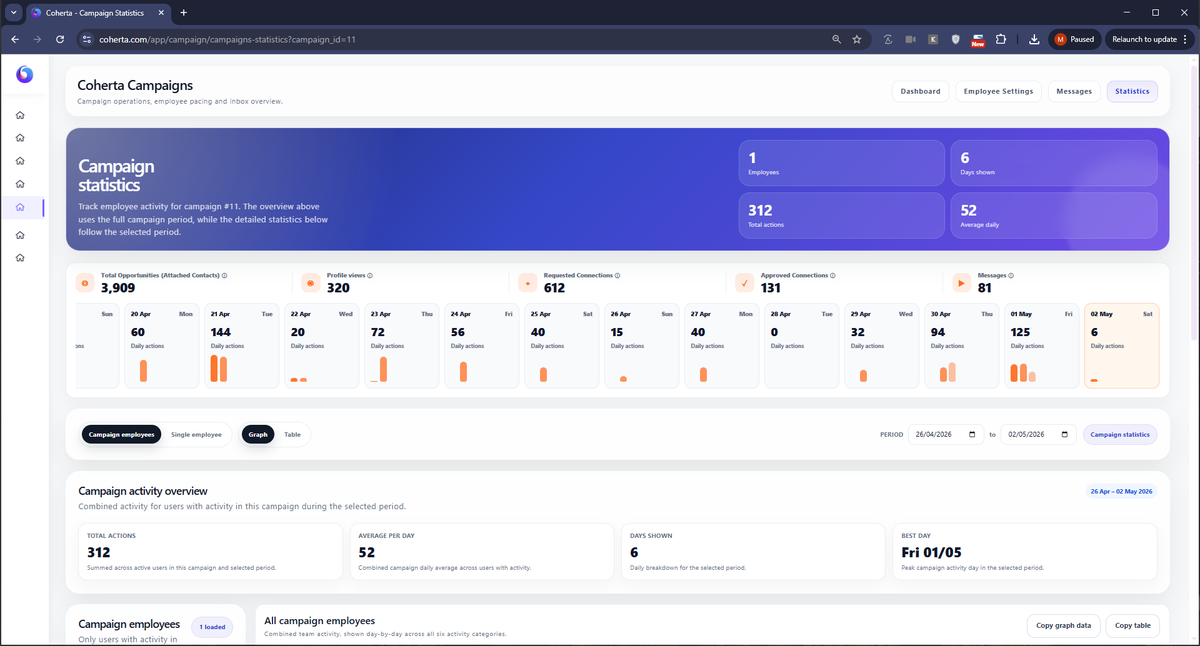
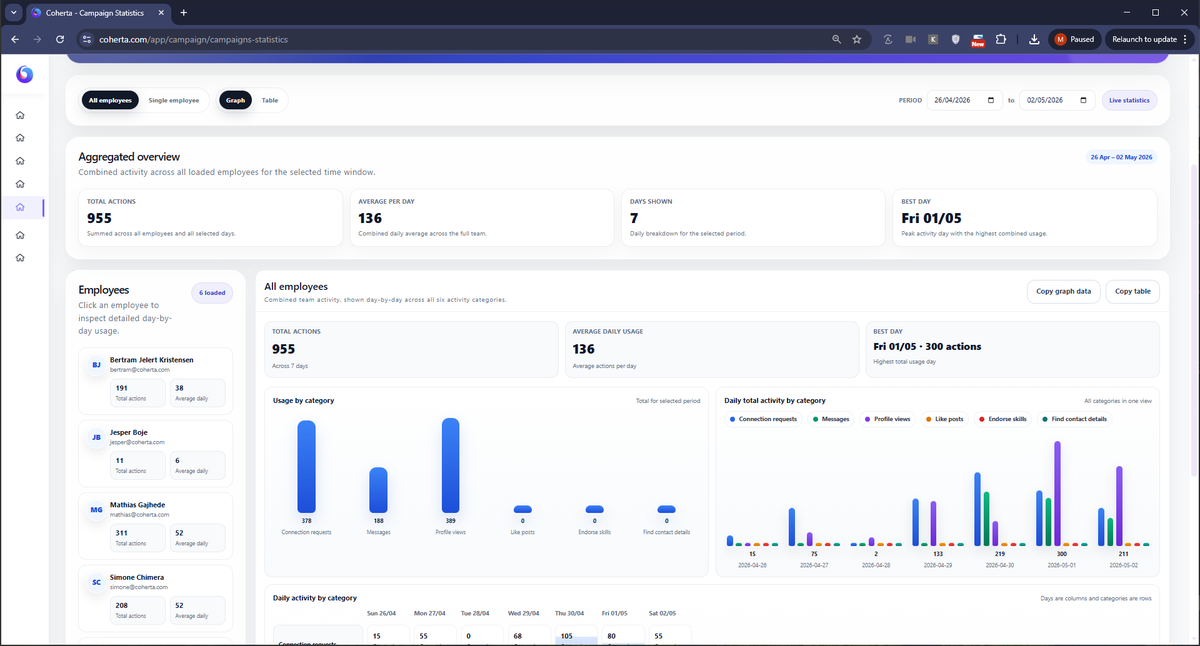
Make your campaign's progress visible.
Review activity, accepted connections and employee performance together, then use the results to decide what your team should do next.
Campaign activity
Accepted connections
Employee statistics
See the activity behind the campaign.
Review connection requests, messages, profile views and the other actions in your campaign. Select the reporting period that fits your review.
Look at accepted connections and acceptance rates alongside the activity. This gives your team context for the relationships being built.
Understand how work is distributed.
Employee statistics show how activity differs across the team and over time. Compare the categories that matter to your campaign.
Use the report when reviewing employee participation, available capacity and activity limits in campaign settings.
Make reporting part of the next decision.
Use a consistent period and the same activity categories when comparing campaigns or employees.
Review the pace
Check how much activity is taking place and whether it matches the team's available capacity.
Check connections
Follow accepted requests and acceptance rates to understand how the audience responds.
Adjust the setup
Use what you learn to review your audience, campaign settings and outreach messages.
Give your team a clearer campaign overview.
Bring campaign activity and employee reporting into the same review.
Tell us who you want to reach
We’ll help you build the list.