
Connection requests
Set how many connection requests the employee may send during the period.
Campaign Settings + Employee Settings
The settings in Coherta Campaigns make the campaign operational. You can choose which employees participate, when the campaign can run and how much activity each employee can perform.
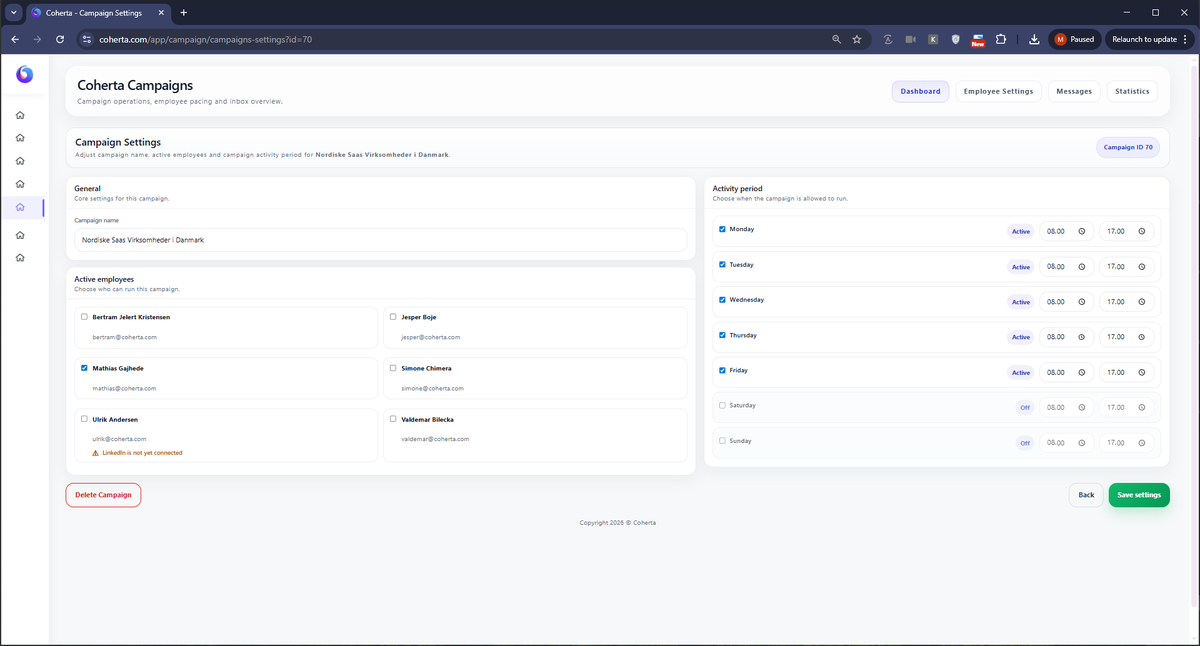
The campaign settings control the framework: name, active employees and the periods when the campaign is allowed to work.
Campaign Settings are used to define the overall structure. Here the team can work with the campaign name, active employees and the time period during which the campaign may run. It is especially important for companies that want to ensure that outbound activity takes place in a controlled manner and does not become an obscure background process.
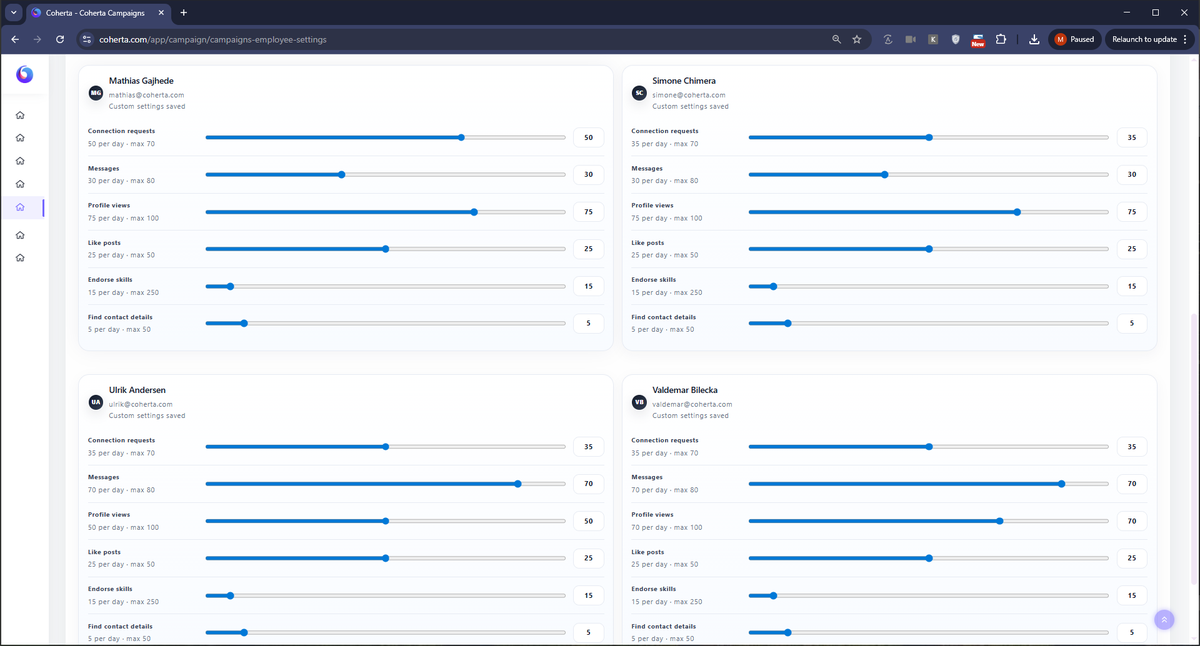
Not all employees must run at the same level of activity. Employee Settings make it possible to adjust pacing per employee, so that the campaign fits the LinkedIn connection, role, capacity and desired level of risk.
Set how many connection requests the employee may send during the period.
Control how many messages may be sent so that the dialogue can be followed up properly.
Use profile visits as a quiet touchpoint before or between other actions.
Schedule light engagement on posts when it makes sense for the workflow.
Use relevant skill endorsements as an additional relationship point.
Specify how much contact data may be attempted to be found as part of the campaign.
One of the most important points in the sales dialogue is that Coherta Campaigns are not just about doing more. It is about making the activity controllable. When limits and periods are set per employee, it becomes easier to create a calm, human and documentable rhythm.
It also enables management to see if the campaign is set too high, too low or unevenly across the team.
When target group, pace and follow-up are connected, LinkedIn is used as a relationship channel rather than a mass broadcast.
Coherta Campaigns gives you a practical setup to control who works, when they work and how much activity is created.
Choose a time and enter your details.